
Manual stock counting is often tedious, time-consuming, and prone to human error, making it a bottleneck in efficient operations. Fortunately, the modern smartphone is equipped with powerful tools—from advanced cameras to dedicated inventory apps—that can transform this laborious process into a streamlined, rapid data capture experience. By leveraging mobile technology, businesses can not only speed up their cycle counts but also significantly improve the accuracy and traceability of their entire inventory system.
Preparing Your Digital Workspace for Efficiency

Before you even start counting, proper preparation is key to maximizing the speed and accuracy of your smartphone count. This involves more than just downloading an app; it requires a systemic approach to your physical warehouse space and your digital workflow. Start by ensuring all items are easily accessible and that your physical location is well-lit, which is critical for the smartphone camera’s ability to read barcodes or take clear photos. Dedicate a specific, organized counter or zone for the counting process, and arrange your inventory in a logical sequence, perhaps grouping items by category or warehouse location code. This systematic approach prevents the frantic wandering that slows down manual counts, allowing your team to move in predictable, linear paths. Furthermore, familiarize yourself with the chosen software’s basic functions, like how to batch save data or how to initiate a new count session, so that the learning curve doesn’t impede productivity when time is of the essence.
Next, the setup involves preparing your tools. Beyond the chosen mobile application (such as specialized barcode scanners, dedicated inventory management systems, or even advanced spreadsheet apps), gather all necessary physical materials, including pre-printed tracking sheets or empty bins for counted items. Ensure your smartphone has a fully charged battery, and ideally, bring a portable power bank, as continuous use of the camera and GPS features can drain power quickly. Test the app’s connectivity, making sure it interacts smoothly with any associated backend systems like QuickBooks or dedicated ERPs. By treating the count as a structured project—with assigned roles (one person counting, one person recording data on the phone, and one person verifying the physical location)—you create a professional, efficient team environment that is ready to go the moment you hit the floor.
Mastering Barcode and QR Code Scanning

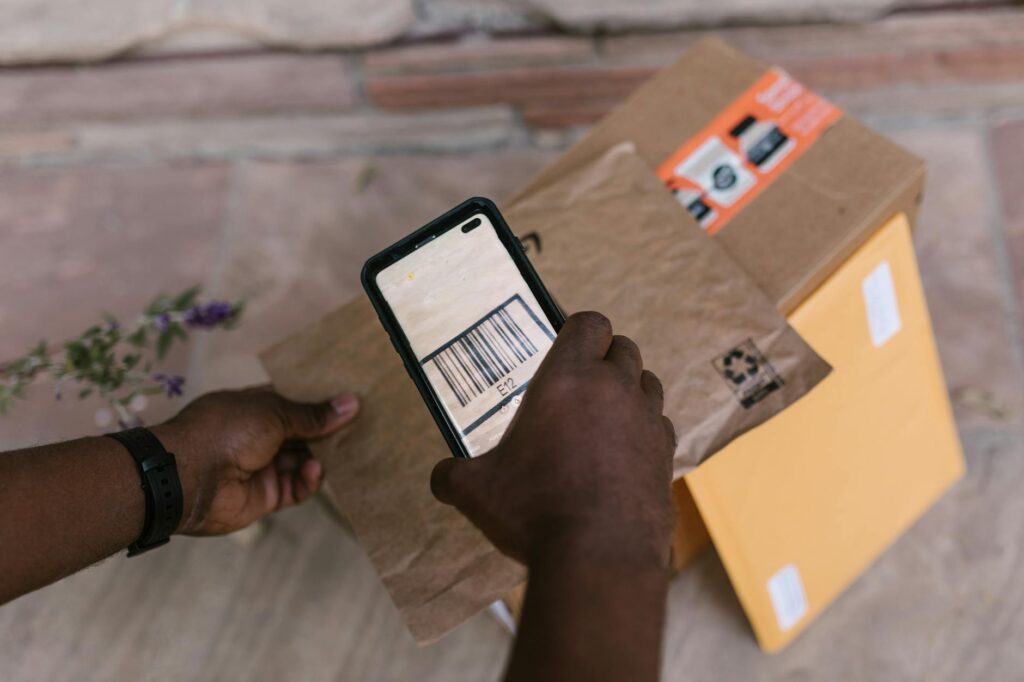
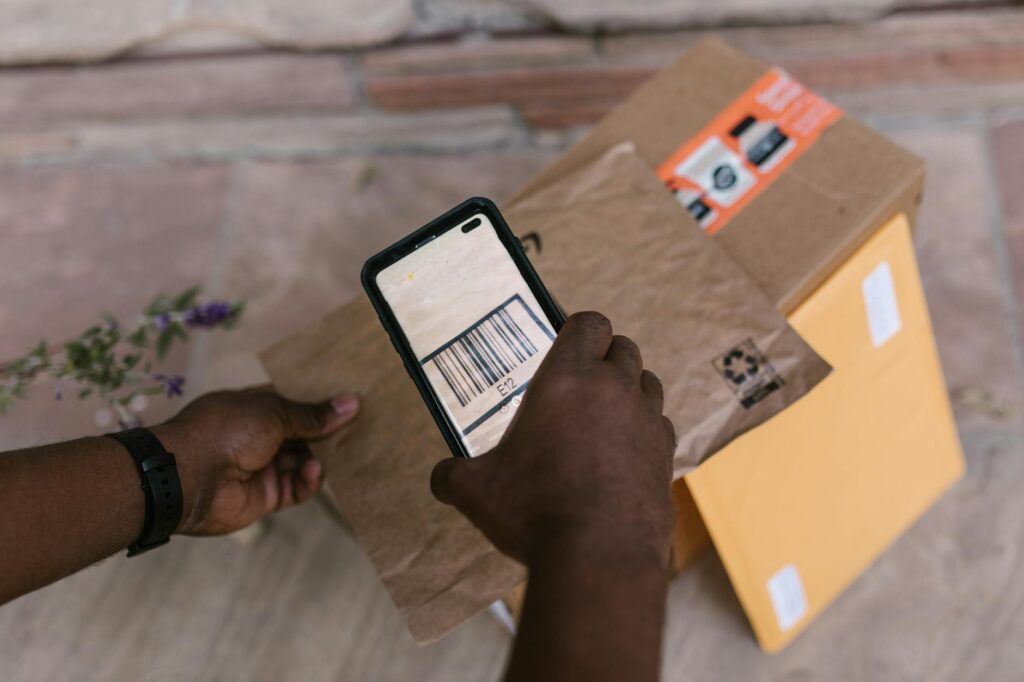
The primary time-saver for smartphone stock counting is the ability to utilize barcodes and Quick Response (QR) codes, which provide instant, verifiable identification for thousands of products. Most modern inventory apps use the phone’s camera as a built-in scanner, eliminating the need for bulky, dedicated handheld scanners and dramatically simplifying deployment. When scanning, always ensure the label is clean, undamaged, and positioned directly perpendicular to the camera lens to ensure the scanner reads the maximum amount of data in the shortest possible burst. Training your team to scan efficiently—moving the phone quickly and steadily across the barcode rather than stopping and restarting the process—will significantly boost the count’s overall speed, preventing hesitation and maximizing throughput per minute.
Beyond simple product identification, these codes can hold deep data about the item, such as batch numbers, expiration dates, or specific supplier identifiers, which traditional manual counting methods completely miss. If an item has multiple serial numbers or is part of a specific lot, the smartphone app allows you to photograph and log this unique data point directly to the inventory record at the moment of count. This level of granular detail means that you aren’t just knowing *what* you have; you are knowing the precise, traceable history of *every* unit. This capability transforms the simple act of counting into a sophisticated quality control and compliance measure, providing layers of data that enhance security and operational knowledge.
Implementing Photo Documentation and Auditing

One of the most powerful, yet often underutilized, features of mobile counting is the ability to photograph and digitally tag items and locations. When an item count suggests a significant discrepancy—for example, if a recorded count is much lower than expected—you can immediately take a photo of the empty space, the discrepancy, or the item in question, linking that visual evidence directly to the count record within the app. This creates an automatic, immutable audit trail. Instead of spending hours physically cross-referencing paperwork with vague memory, managers can instantly pull up the recorded count and, if necessary, examine the photo documentation provided by the field team, streamlining the dispute resolution process into mere minutes.
Furthermore, smartphone apps enable immediate digital cross-verification and multi-user auditing. Multiple team members can log into the same inventory zone simultaneously, allowing supervisors to monitor progress in real-time and identify bottlenecks instantly. The app can assign specific counting zones to specific users, eliminating the chance of double-counting or, worse, missing an entire aisle. This collaborative, digitally managed approach ensures accountability and maintains a continuous flow of verified data. The ability to generate instant, structured reports and export them immediately means that decision-makers receive accurate inventory data the moment the count is complete, rather than waiting for hours of manual data entry and compilation.
The Power of Integrated Reporting and Reconciliation

The true value of counting with a smartphone doesn’t lie in the count itself, but in the instant, deep analysis of the data it provides. Because the smartphone apps connect to centralized inventory systems, they don’t just record numbers; they reconcile discrepancies against established minimum stock levels, sales predictions, and purchasing orders. Upon completion, the system can instantly generate a variance report, highlighting exactly where the stock deviated from expected levels. These reports are far more actionable than a simple spreadsheet, as they often categorize the variance (e.g., “Potential theft,” “System error,” or “Physical shrinkage”), guiding immediate investigative action.
Moreover, these digital tools support advanced cycle counting techniques. Instead of performing one massive physical inventory count annually—which shuts down operations and is prohibitively expensive—you can schedule small, continuous counts of high-value, fast-moving, or high-shrinkage items using the mobile platform. The app tracks which items have been counted and when, ensuring that the cycle remains consistent and that no key area is overlooked. This continuous monitoring approach not only reduces operational downtime but also provides management with a constant, real-time pulse on inventory health, allowing for proactive reordering and much better risk management overall.
Conclusion

Embracing smartphone technology for stock counting is no longer a luxury; it is a critical operational necessity for any business aiming for peak efficiency. By leveraging the camera for high-speed scanning, using the GPS for location tracking, and utilizing advanced cloud features for instant reporting, businesses can transition from dusty spreadsheets and manual tally sheets to a lightning-fast, highly accurate digital inventory system. Adopting these methods saves time, drastically reduces human error, and provides unparalleled visibility into your assets, ultimately streamlining your supply chain and boosting your bottom line.



Leave a Comment